Help/Create a standup check-in
Create a standup check-in
A check-in asks your team a few questions on a schedule and posts a digest of the answers to a Slack channel. The daily standup is a template, and setting one up takes about three minutes.
1Start from the Standup template
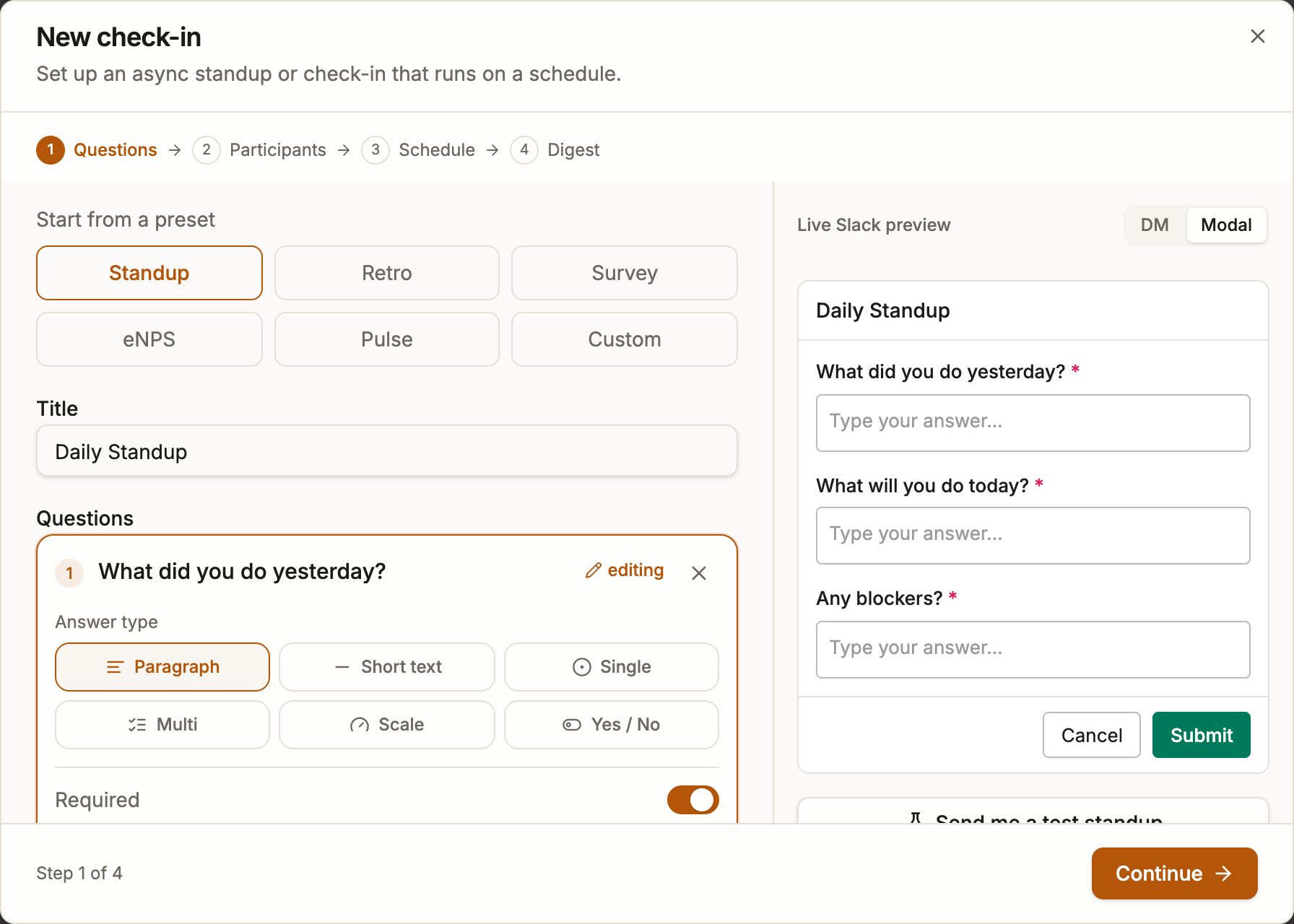
Go to Check-ins and click New check-in, then pick the Standup template. It comes pre-filled with the three classic questions: what you did, what you are doing today, and any blockers. You can edit, reorder or add questions, including structured ones like scale, select and yes/no.
The yesterday question opens already filled in with what each person planned at the previous check-in, so on most days they only adjust it. That comes from the question Role: the today question is marked Plan, the yesterday question Progress, and the blockers question Blockers. Standups asking the template's own questions have these roles already. If you wrote your own questions, set the roles in the question editor. Other templates, like the weekly update, use the same roles. Anonymous check-ins never carry answers forward.
2Pick a schedule and participants
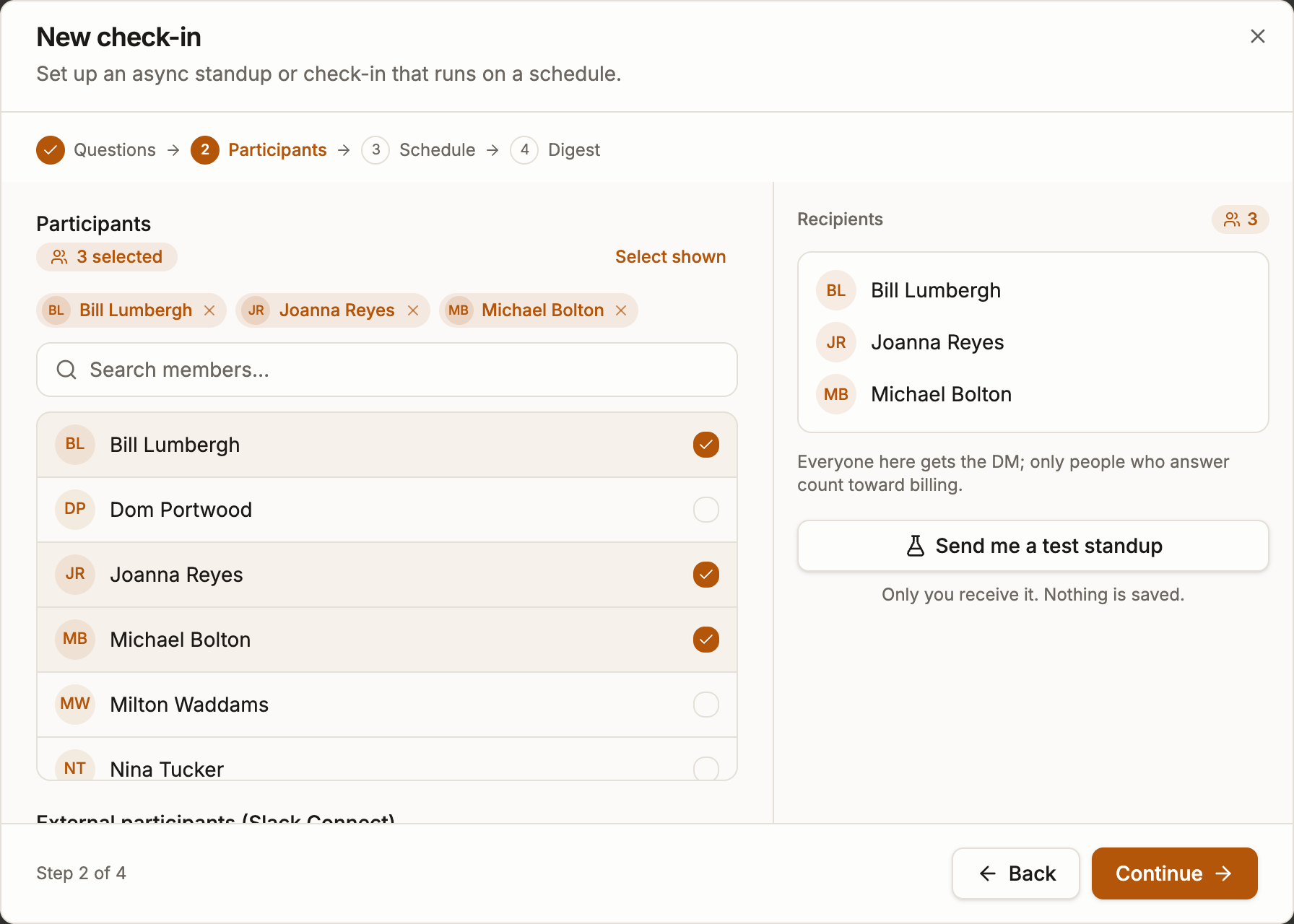
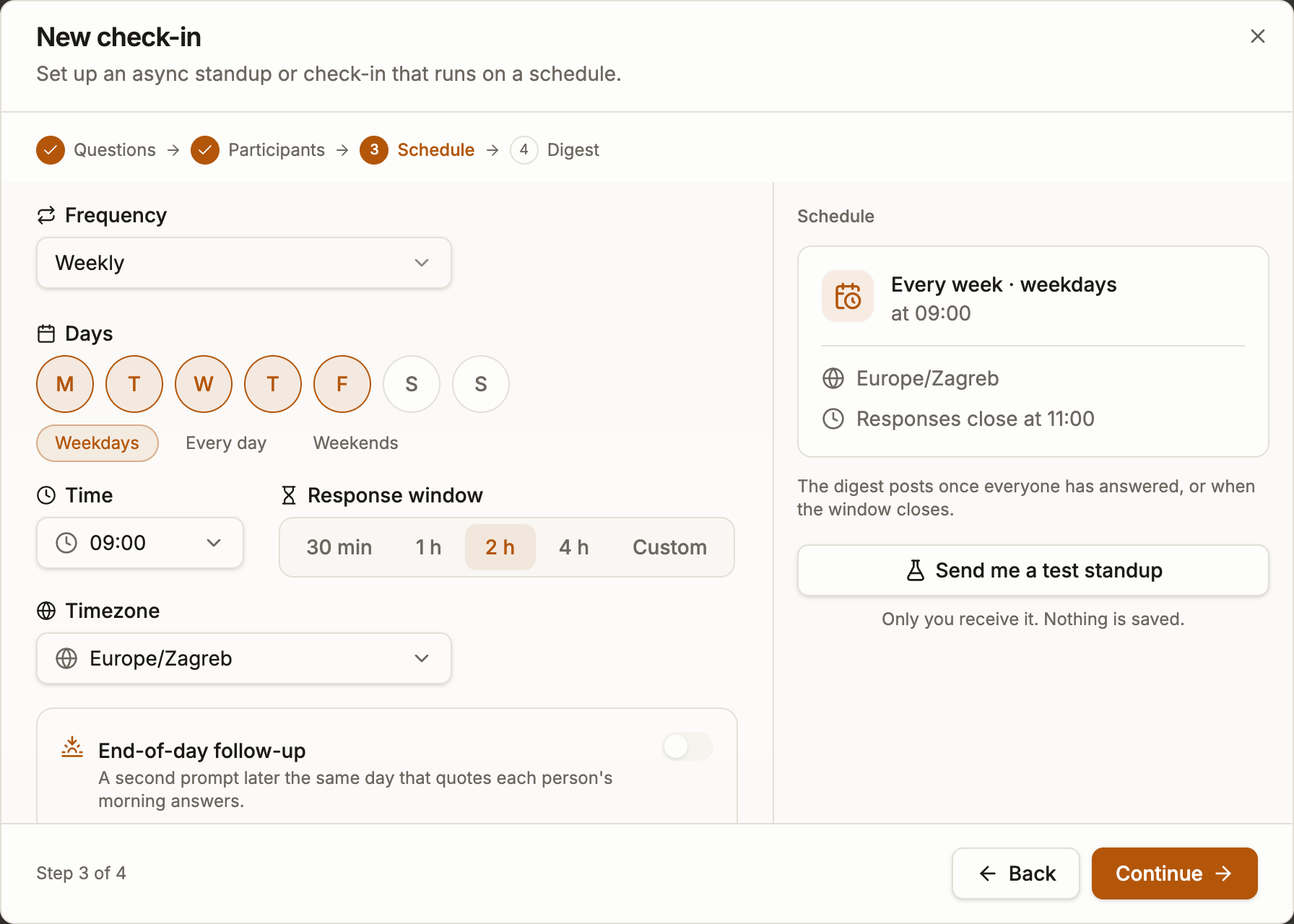
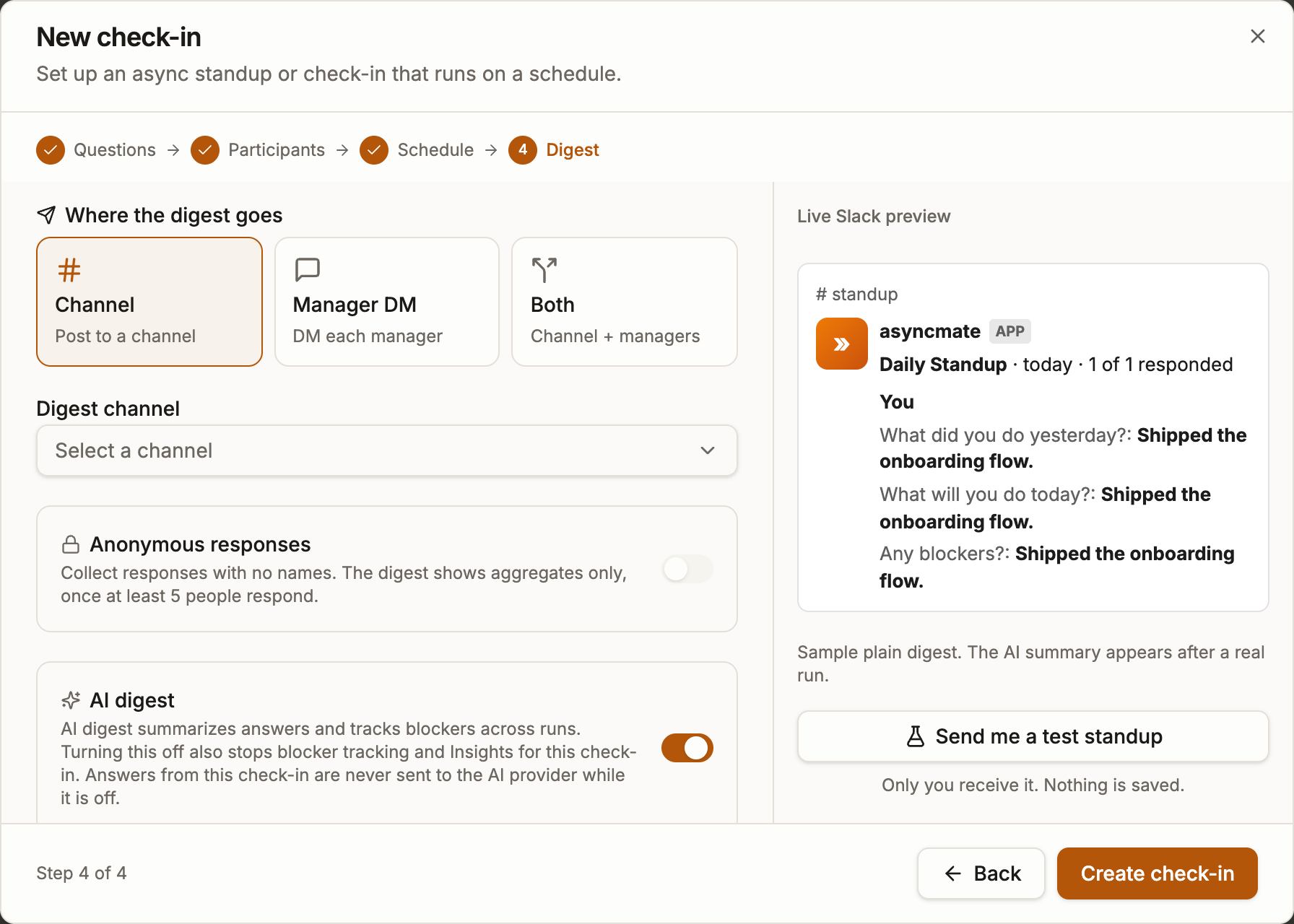
Choose the days and time (weekdays at 9:00 is typical) and the timezone. Then add the participants and the channel where the digest is posted. asyncmate DMs each participant when it is time to check in, so nobody has to remember anything.
Tip: teams spread across timezones can enable follow-the-sun: each person is asked at 9:00 their own time, and the answers still arrive as one digest.
3Test it, then let it run
Use Send me a test standup to try the whole flow. You get the DM, fill in the answers and see exactly what your team's digest will look like. Nothing is saved. When it looks right, save the check-in and it runs on schedule from then on.
Participants can skip a day with /asyncmate skip or pause their own prompts with /asyncmate snooze. Anyone who does not answer before the response window closes is listed in the digest, so nothing slips silently.